




Get Up to 35% Off at King Power
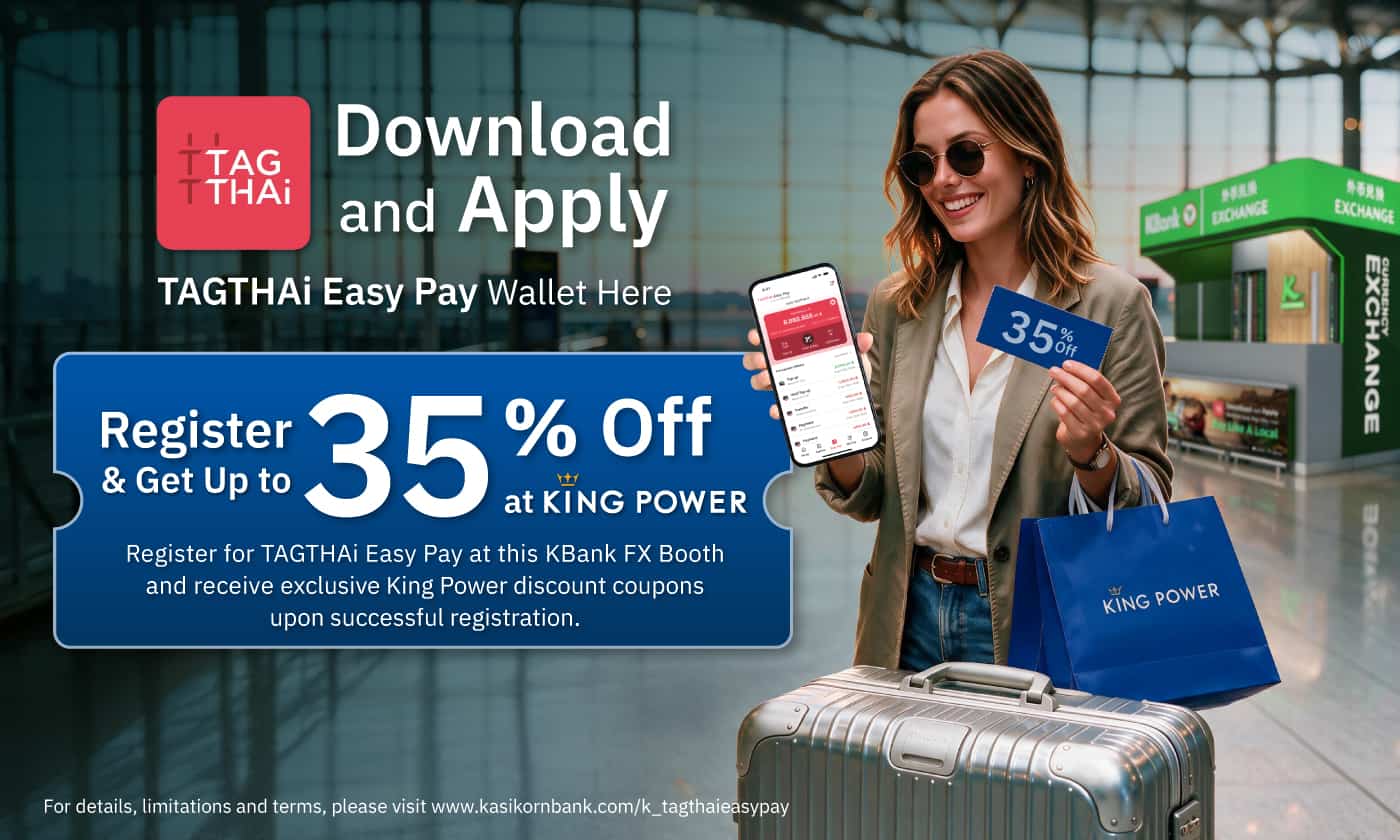
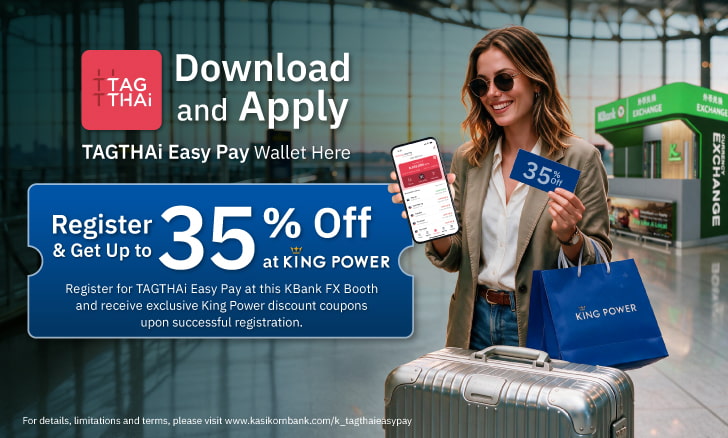
Register for TAGTHAi Easy Pay at a participating KBank FX Booth and receive King Power discount coupons offering up to 35% off. Available while supplies last.
*Terms and conditions apply

Language:


TAGTHAi Easy Pay is an e-Wallet service designed for foreign tourists. It allows users to exchange Thai Baht, top up their e-Wallet, and make payments via Thai QR Payment nationwide through the TAGTHAi application.
You can apply for TAGTHAi Easy Pay at KBank Foreign Exchange Booths.

TAGTHAi Easy Pay can be used through the TAGTHAi application to make payments via Thai QR Payment at merchants across Thailand. You can also withdraw cash from KBank ATMs nationwide.
Register for TAGTHAi Easy Pay at a participating KBank FX Booth and receive King Power discount coupons offering up to 35% off. Available while supplies last.
*Terms and conditions apply

Exclusively for new customers who register for TAGTHAi Easy Pay and make their first top-up of at least THB 10,000 in a single transaction at a KBank FX Booth. Available until 31 December 2026.
*Terms and conditions apply.



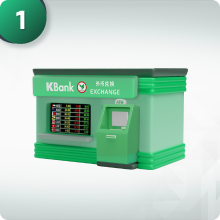
Prepare your passport and visit a KBank Foreign Exchange Booth to apply for TAGTHAi Easy Pay for use with the TAGTHAi application.
Present your passport and complete the registration process for identity verification. Exchange Thai Baht and top up your e-Wallet.
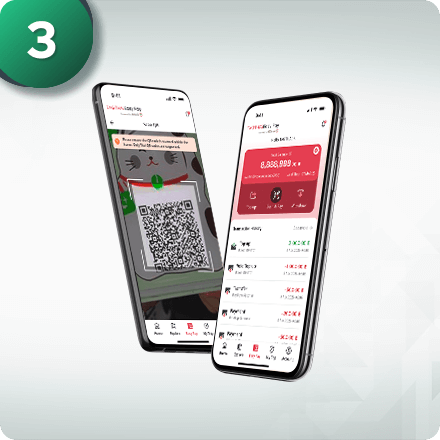
Download the TAGTHAi application from the App Store or Google Play. Link your Wallet to the application and start using TAGTHAi Easy Pay to scan and pay via Thai QR Payment nationwide, as well as conveniently withdraw cash at KBank ATMs.
 Conditions to apply
Foreign tourists (non-Thai nationals)
20 years and older
Limited to one person/e-wallet
In-person at at KASIKORNBANK foreign exchange booth
Passport
 Limits
25,000 Baht
Based on the balance in the e-wallet
25,000 Baht/transaction
Partial refund transactions via cardless cash withdrawal at KBank ATMs are limited to THB 10,000 per transaction and per month
The total monthly transaction amount, including top-ups, payments, and cash withdrawals at KBank ATMs, must not exceed THB 50,000 per month
Payment for goods and services in Thailand
At KASIKORNBANK Foreign Exchange Booth
 Validity
1 year
Pinch to Zoom
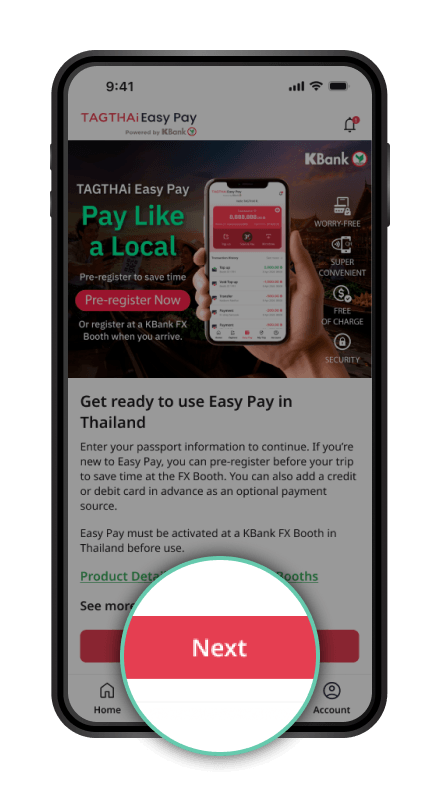
Go to Easy Pay and
tap Next.
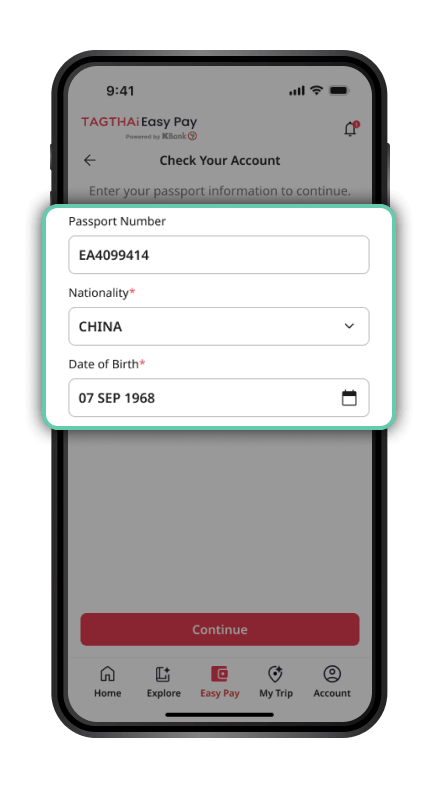
Enter your passport information to
check your TAGTHAi Easy Pay account.
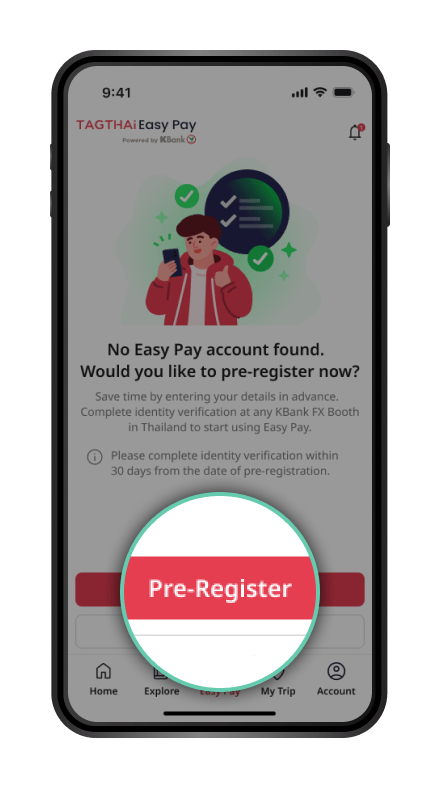
If you do not have an Easy Pay account,
tap Pre-Register to register in advance.
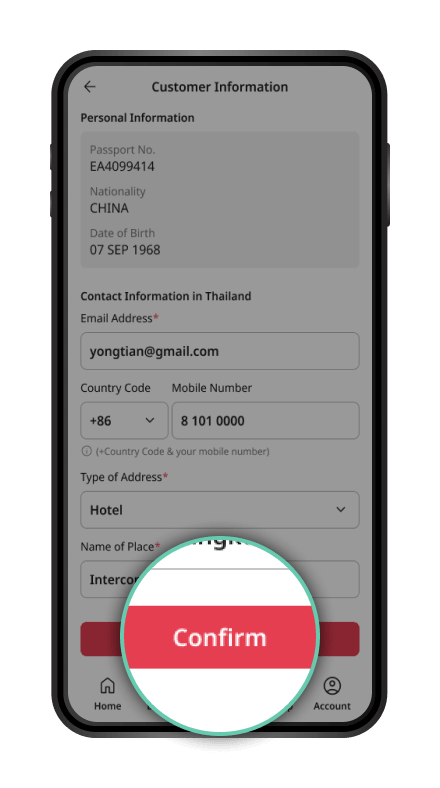
Enter your personal information
and tap Confirm.
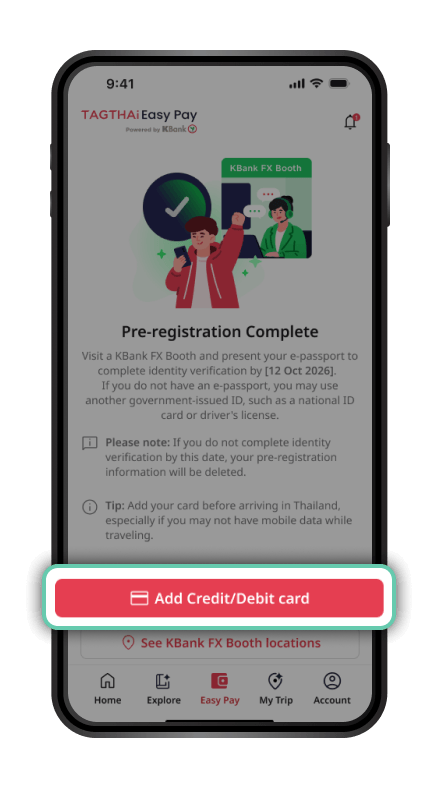
Once pre-registration is complete,
tap Add Credit/Debit Card to
add a card for payments in Thailand.
Pinch to Zoom
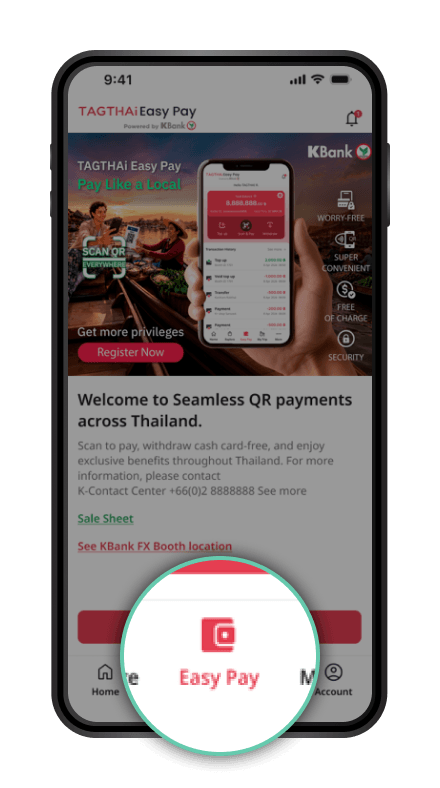
Open the TAGTHAi app and select “Easy Pay” to link your e-Wallet.
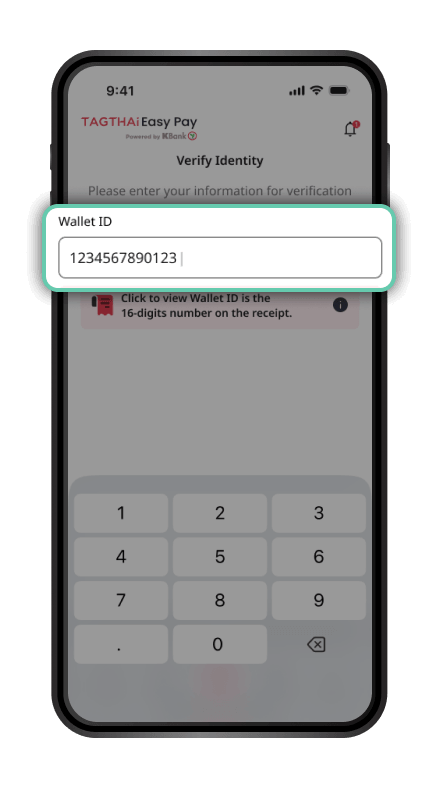
Enter your Passport Number and Wallet ID, then tap Continue.
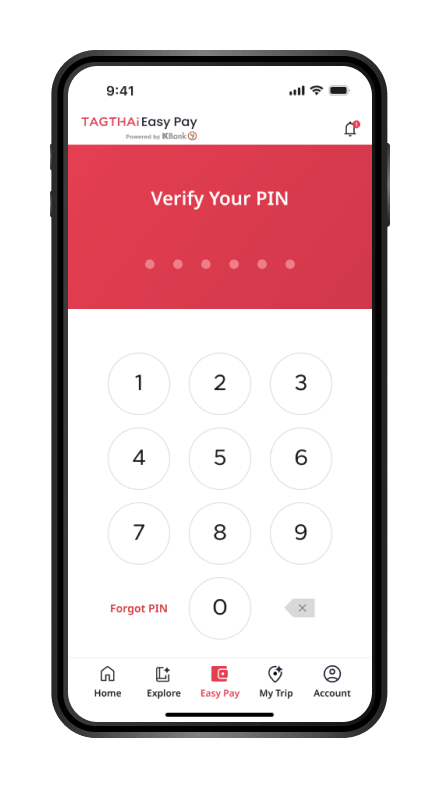
Enter the 6-digit PIN received when exchanging currency at a KBank Foreign Exchange (FX) Booth.
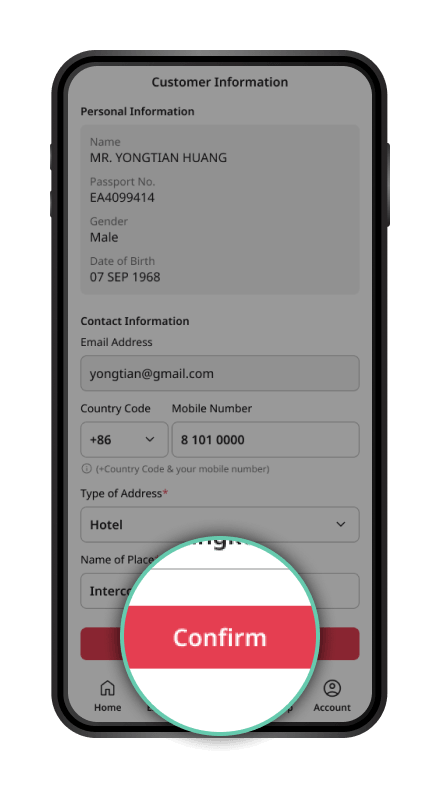
Review the information and confirm.
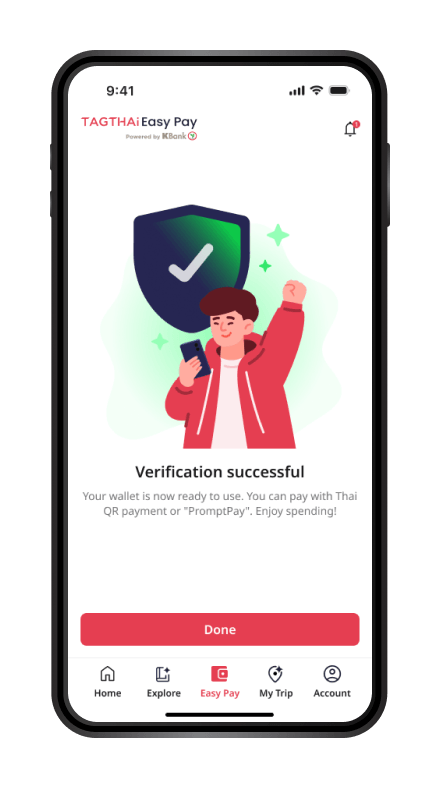
Your e-Wallet is now linked. You can start making payments.
Pinch to Zoom
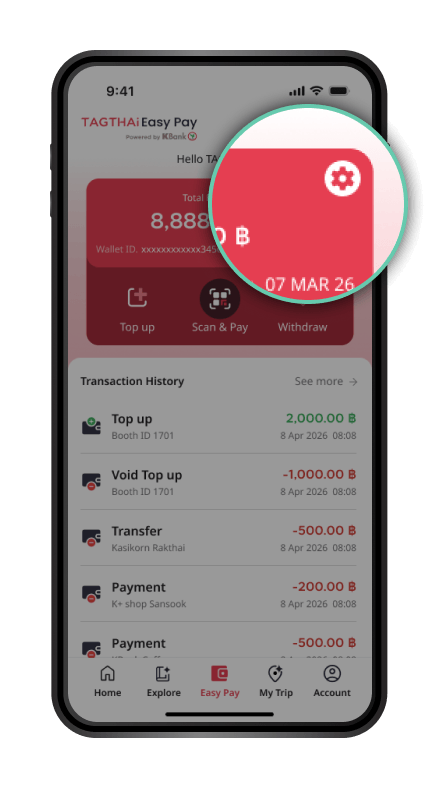
On the Easy Pay page,
select the Settings icon
(gear icon).
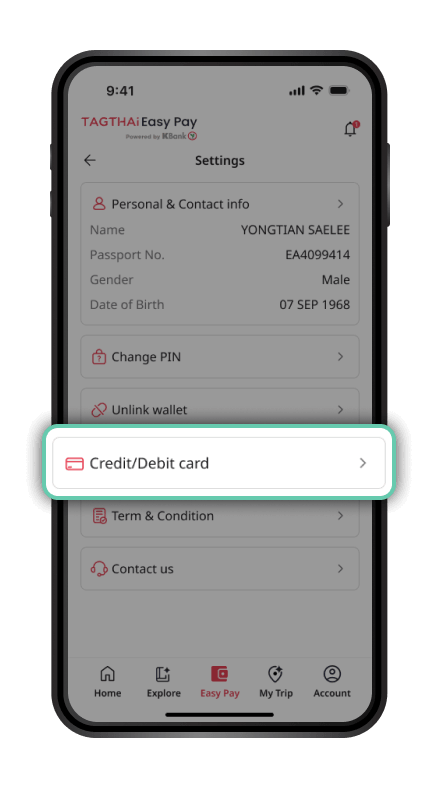
Select Credit/Debit Card.
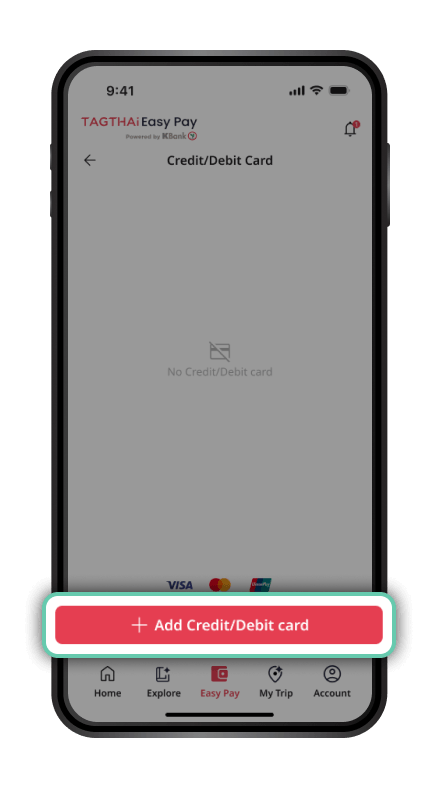
Select Add Credit/Debit Card.
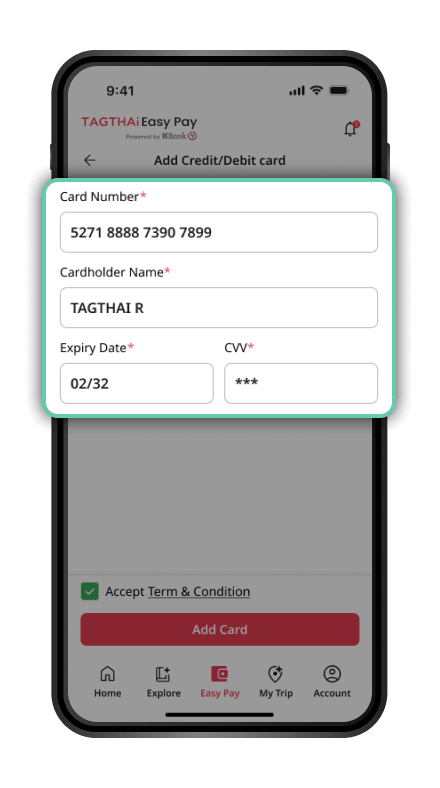
Enter your credit/debit card
details and proceed.
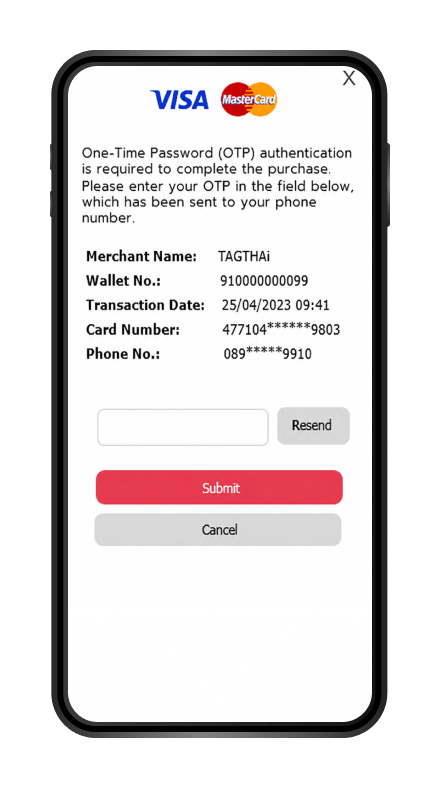
Complete the authentication process
required by your card issuer,
such as entering an OTP
(if applicable).
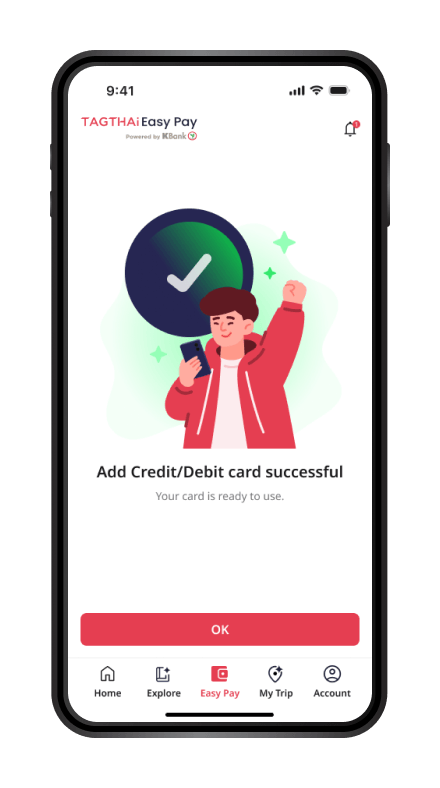
Your credit/debit card has
been successfully linked.
Pinch to Zoom
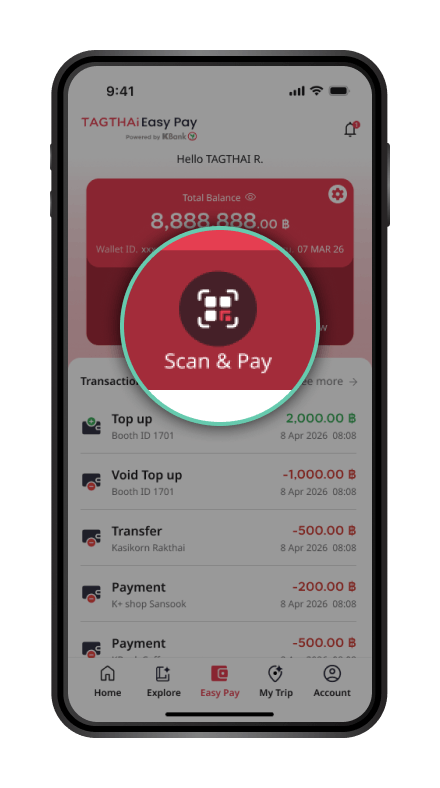
Open the TAGTHAi app and select “Scan & Pay”.
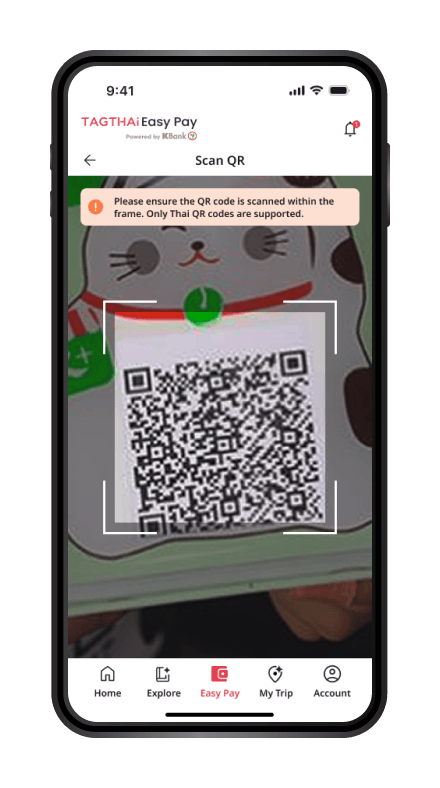
Scan the QR code to make a payment.
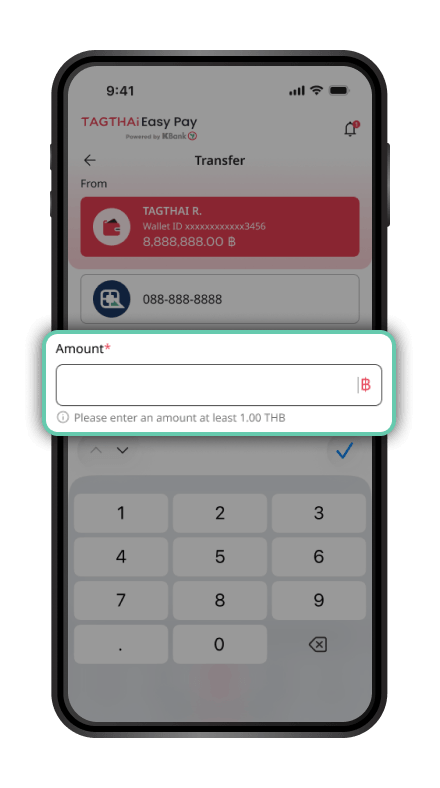
If you have insufficient wallet balance, you can add funds using a linked debit/credit card.
For payments to personal QR codes (Tag 29), the transaction amount must not exceed THB 1,700 per transaction or THB 50,000 per month.
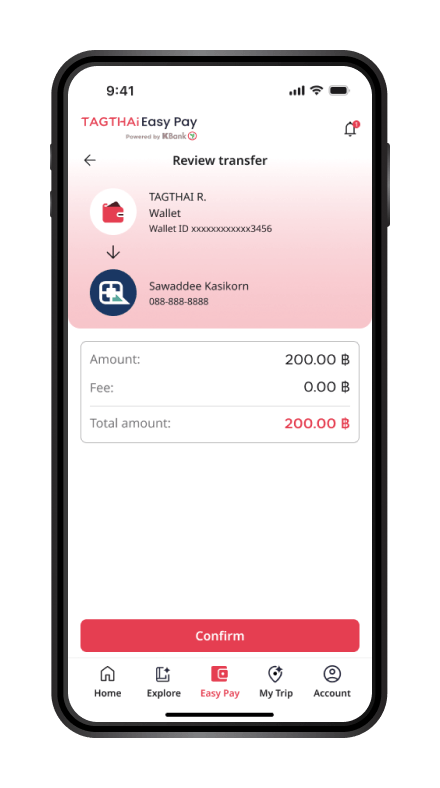
If you have sufficient wallet balance, review the transaction details and proceed.
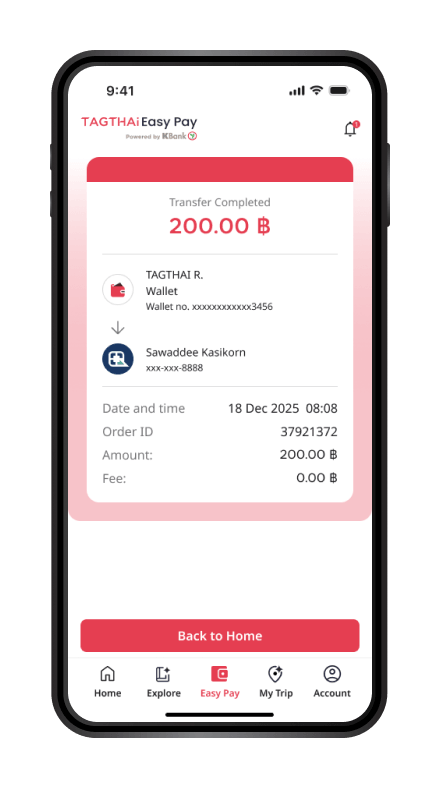
The transaction is successful. You can view your transaction history in the TAGTHAi app.
Pinch to Zoom
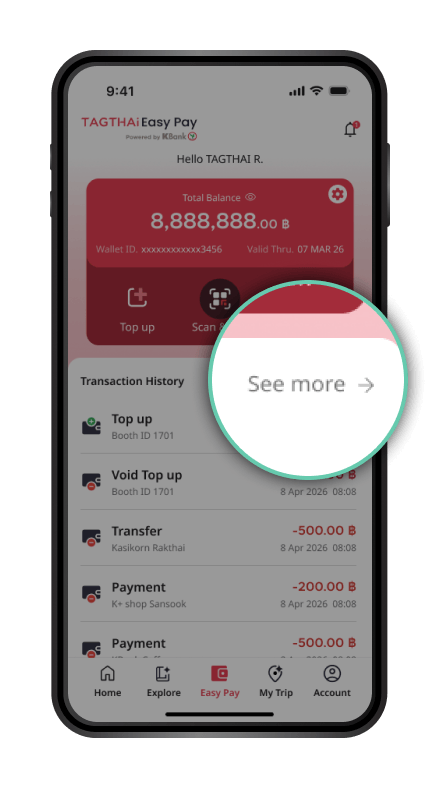
Select “See More”.
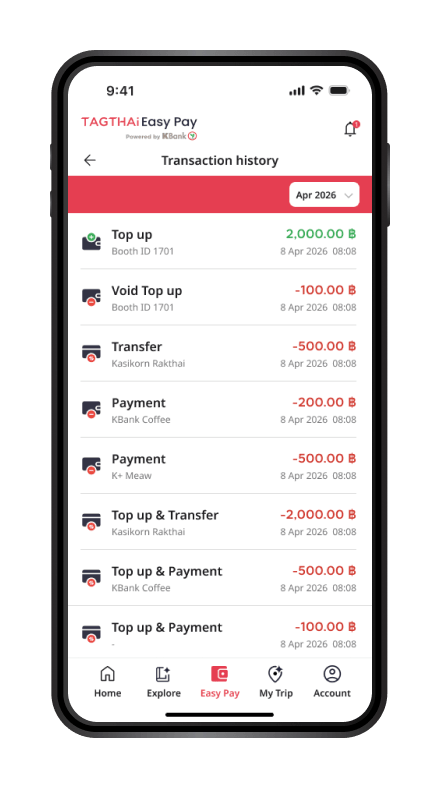
Your transaction history will be displayed.
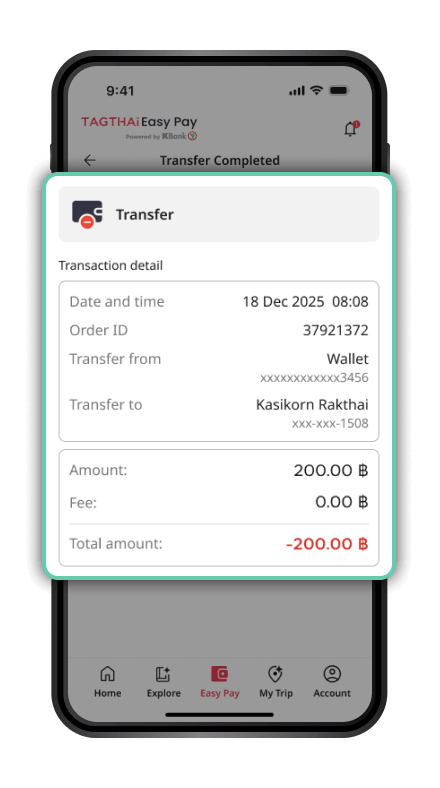
Select a transaction to view its details.
Pinch to Zoom
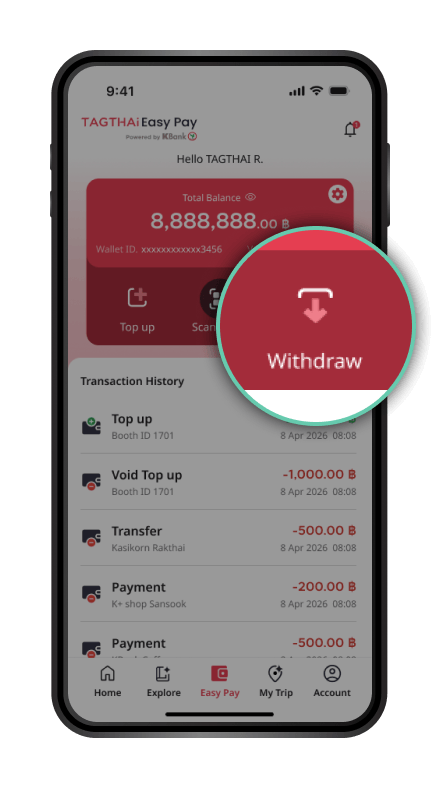
Open the TAGTHAi app and select “Easy Pay” and “Withdraw”.
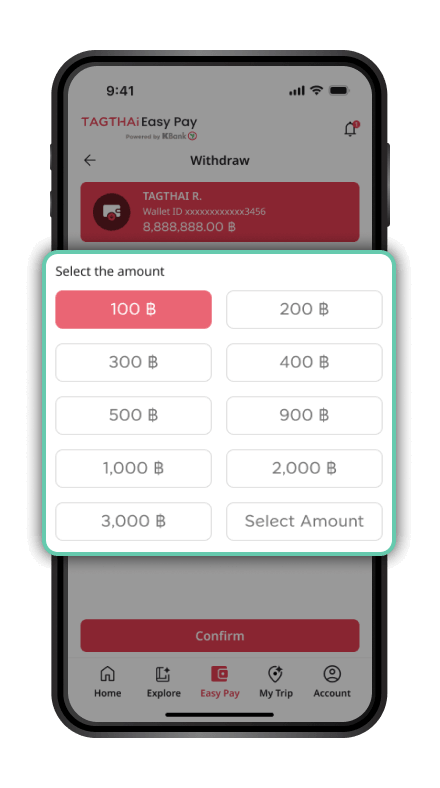
Enter the withdrawal amount and tap Confirm.
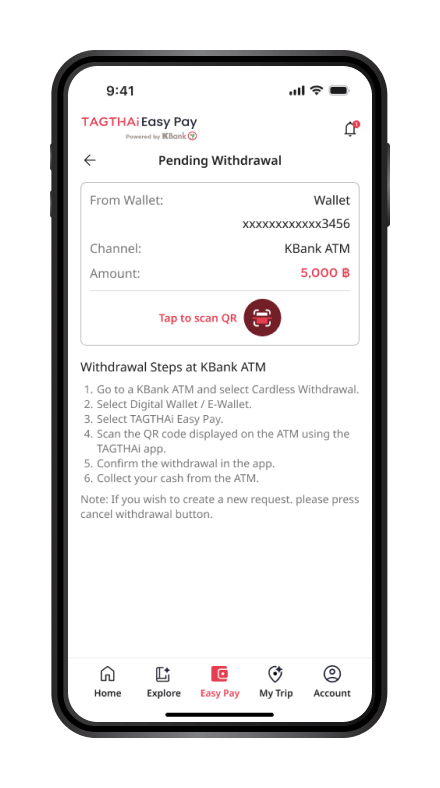
Review the transaction details and proceed to the K-ATM.
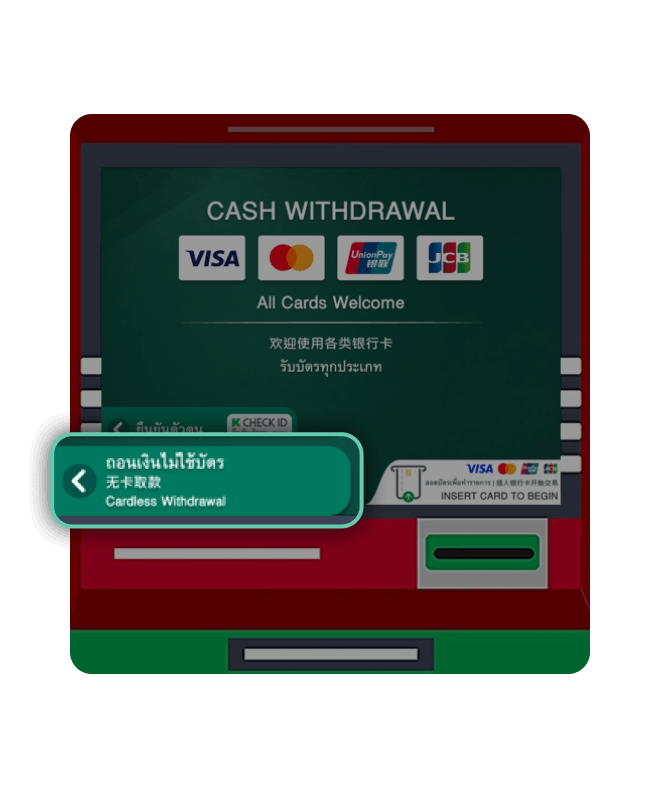
At the K-ATM, select “Cardless Withdrawal”.
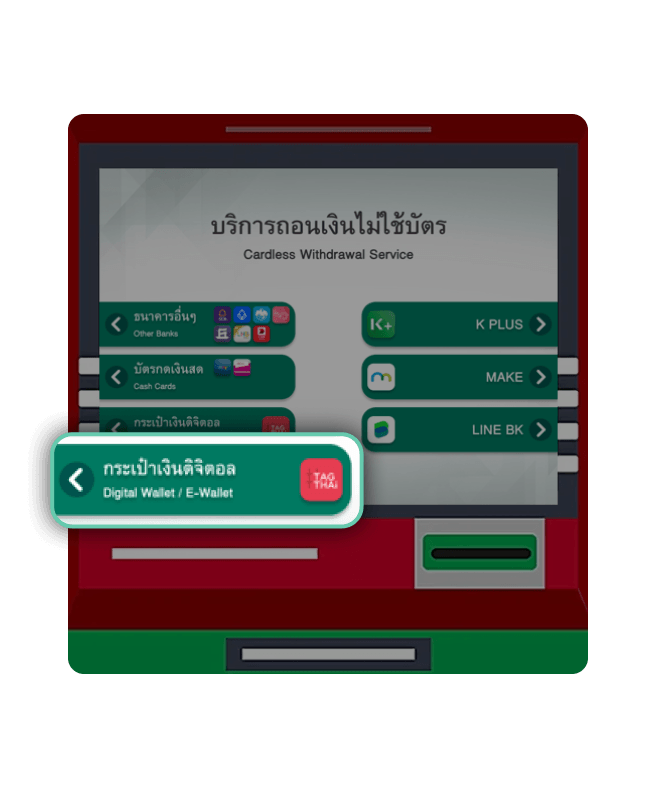
Select “Digital Wallet / e-Wallet”.
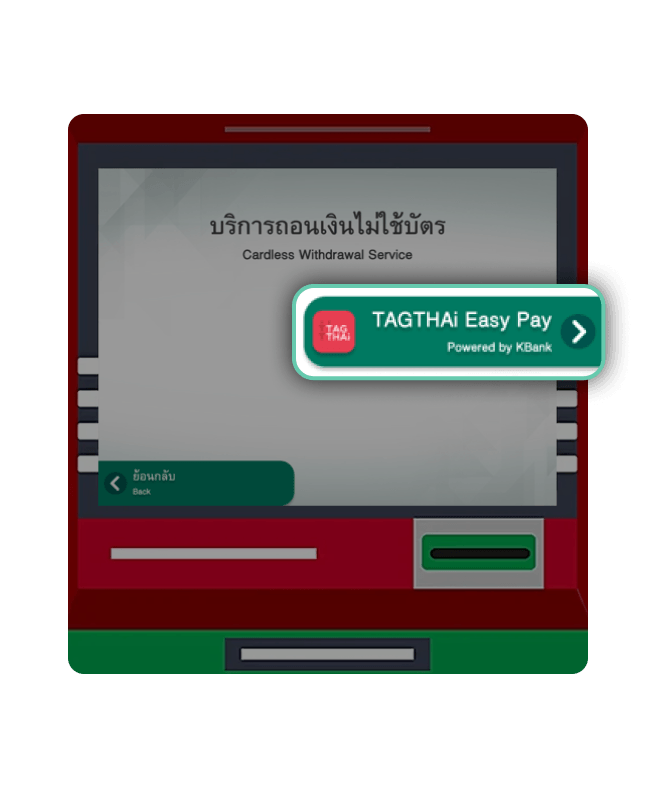
Select “TAGTHAi Easy Pay”.
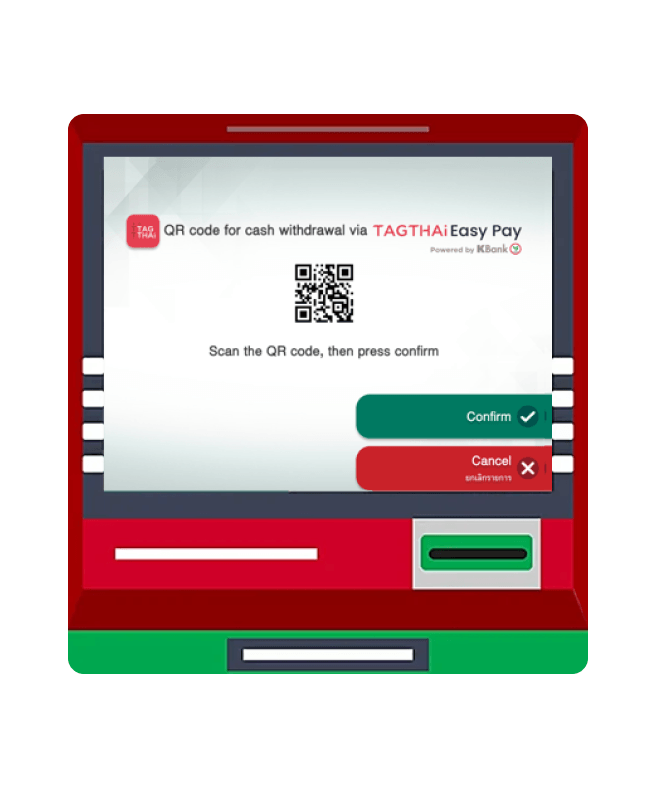
The K-ATM will display a QR Code for scanning.
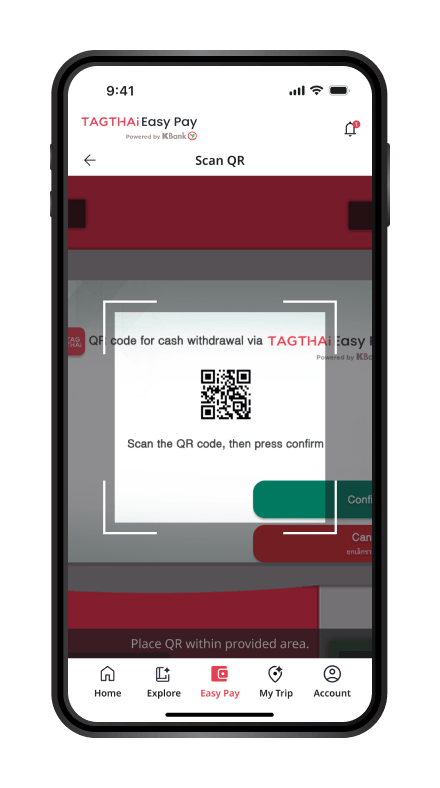
Return to the TAGTHAi app, select “Scan QR”, and scan the QR Code displayed on the K-ATM to confirm the withdrawal transaction.
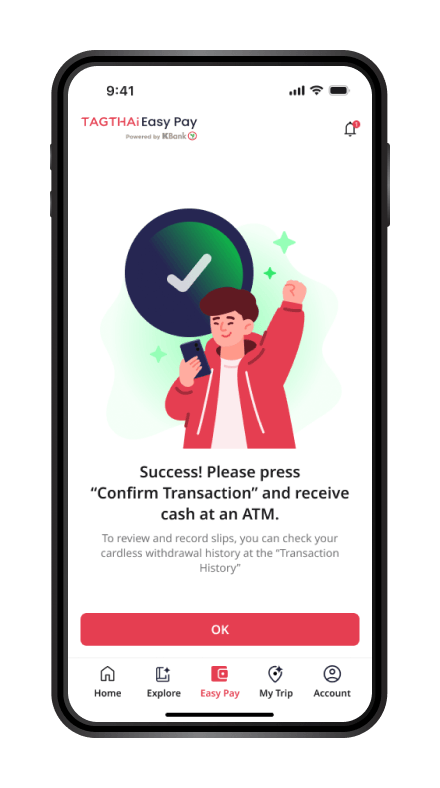
Once the transaction is successful, the K-ATM will dispense your cash. You can view the withdrawal transaction details in the TAGTHAi app.
Pinch to Zoom
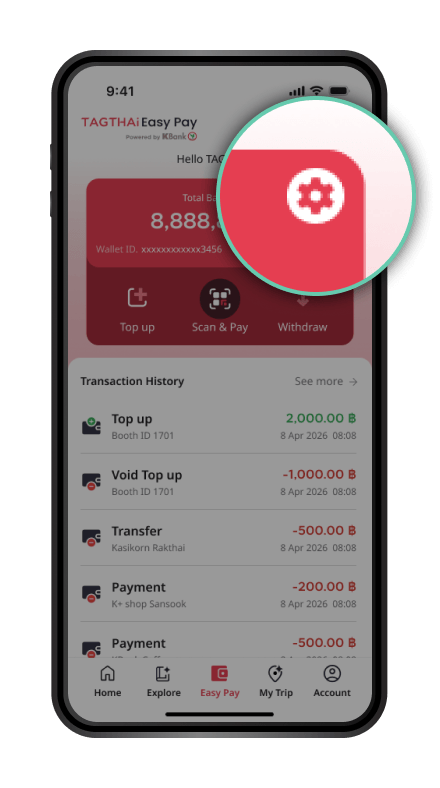
On the Easy Pay page, select the “Settings” icon (gear icon).
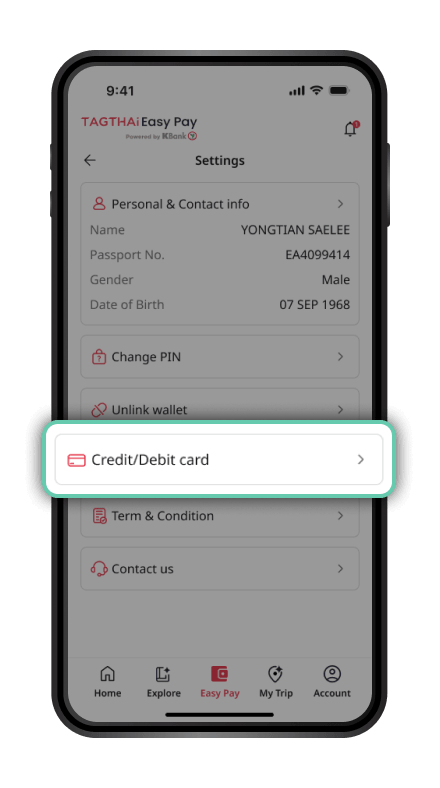
Select “Credit/Debit Card”.
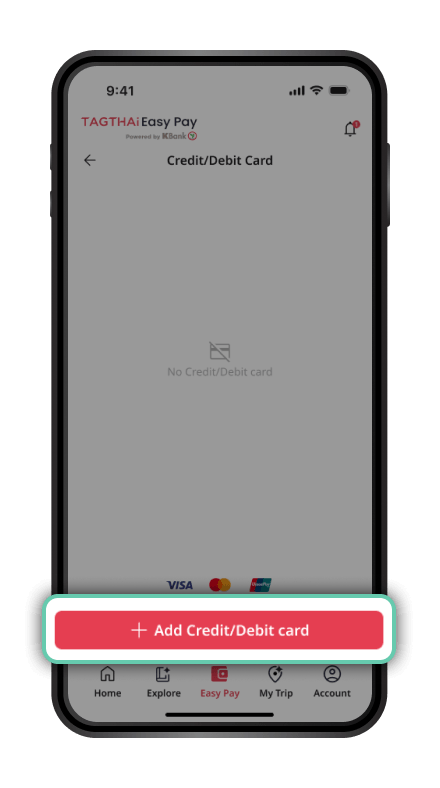
Select Add Credit/Debit Card”.
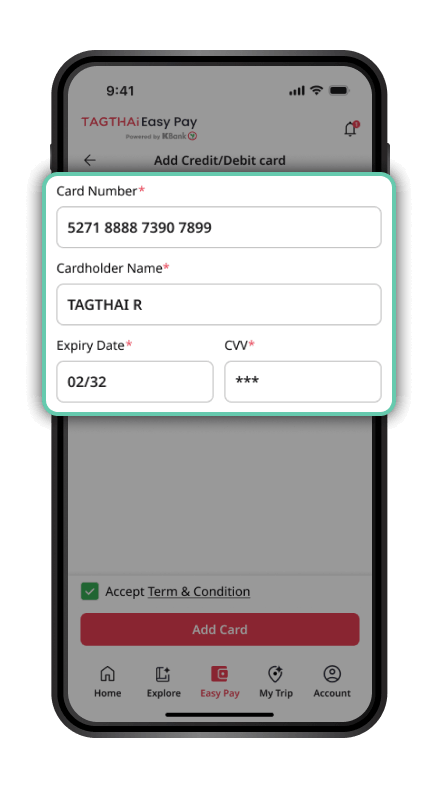
Enter your credit/debit card details and proceed.
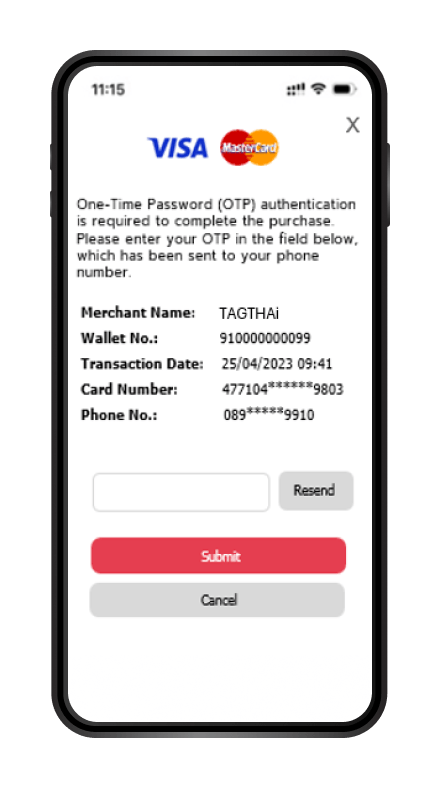
The cardholder is verified through the 3D Secure process. The system will send an OTP to the phone number registered with the card.
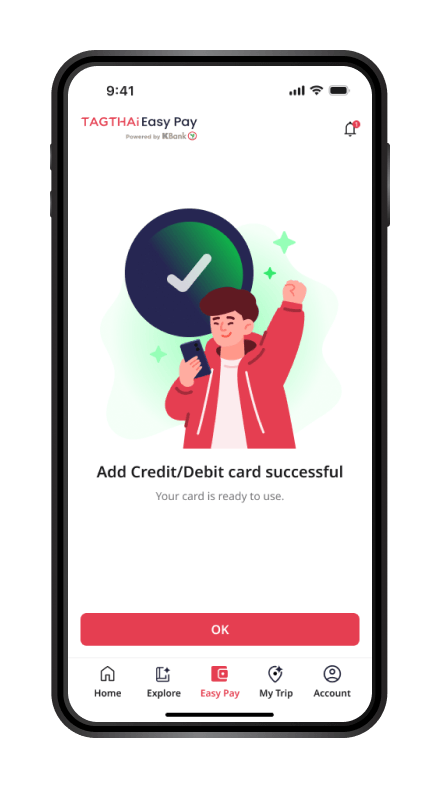
Your credit/debit card has been successfully linked.
 TAGTHAi app
The TAGTHAi application is an online, all-in-one travel platform that supports the journey of tourists.It has been jointly developed by Thai Digital Platform Social Enterprise Co., Ltd., and the Tourism Authority of Thailand. TAGTHAi aims to be the best Thailand travel companion for visitors, fostering collaboration between tourism-related public and private sectors across the country.
Download TAGTHAi app and link with PAY & TOUR prepaid card to scan and pay with QR payment, check balance, manage your card and get more privileges.



Applicants must be foreign nationals (non-Thai citizens) aged 20 years or older.
You can apply for TAGTHAi Easy Pay at KBank Foreign Exchange Booths and link your e-Wallet to the TAGTHAi application. The application can be downloaded from the App Store or Google Play Store.
The e-Wallet can be used to make payments via Thai QR Payment at merchants across Thailand that support QR payment.
No. Registration and usage are free of charge.
You can top up your e-Wallet and withdraw funds at KBank Foreign Exchange Booths.
You can view your balance and transaction history through the TAGTHAi application.
No. Users must first exchange foreign currency into Thai Baht before topping up their e-Wallet.
Keep your 6-digit e-Wallet PIN confidential and do not disclose it to others.
For more information, please contact the K-Contact Center at +66 2-888-8888.
Open the TAGTHAi app and select “Easy Pay” to link your e-Wallet.
Enter your Passport Number and Wallet ID, then tap Continue.
Enter the 6-digit PIN received when exchanging currency at a KBank Foreign Exchange (FX) Booth.
Review the information and confirm.
Your e-Wallet is now linked. You can start making payments.
Open the TAGTHAi app and select “Scan & Pay”.
Scan the QR code to make a payment.
If you have insufficient wallet balance, you can add funds using a linked debit/credit card.
For payments to personal QR codes (Tag 29), the transaction amount must not exceed THB 1,700 per transaction or THB 50,000 per month.
If you have sufficient wallet balance, review the transaction details and proceed.
The transaction is successful. You can view your transaction history in the TAGTHAi app.
Select “See More”.
Your transaction history will be displayed.
Select a transaction to view its details.
Open the TAGTHAi app and select “Easy Pay” and “Withdraw”.
Enter the withdrawal amount and tap Confirm.
Review the transaction details and proceed to the K-ATM.
At the K-ATM, select “Cardless Withdrawal”.
Select “Digital Wallet / e-Wallet”.
Select “TAGTHAi Easy Pay”.
The K-ATM will display a QR Code for scanning.
Return to the TAGTHAi app, select “Scan QR”, and scan the QR Code displayed on the K-ATM to confirm the withdrawal transaction.
Once the transaction is successful, the K-ATM will dispense your cash. You can view the withdrawal transaction details in the TAGTHAi app.
On the Easy Pay page, select the “Settings” icon (gear icon).
Select “Credit/Debit Card”.
Select “Add Credit/Debit Card”.
Enter your credit/debit card details and proceed.
The cardholder is verified through the 3D Secure process. The system will send an OTP to the phone number registered with the card.
Your credit/debit card has been successfully linked.
Go to Easy Pay and
tap Next.
Enter your passport information to
check your TAGTHAi Easy Pay account.
If you do not have an Easy Pay account,
tap Pre-Register to register in advance.
Enter your personal information
and tap Confirm.
Once pre-registration is complete,
tap Add Credit/Debit Card to
add a card for payments in Thailand.
On the Easy Pay page,
select the Settings icon
(gear icon).
Select Credit/Debit Card.
Select Add Credit/Debit Card.
Enter your credit/debit card
details and proceed.
Complete the authentication process
required by your card issuer,
such as entering an OTP
(if applicable).
Your credit/debit card has
been successfully linked.
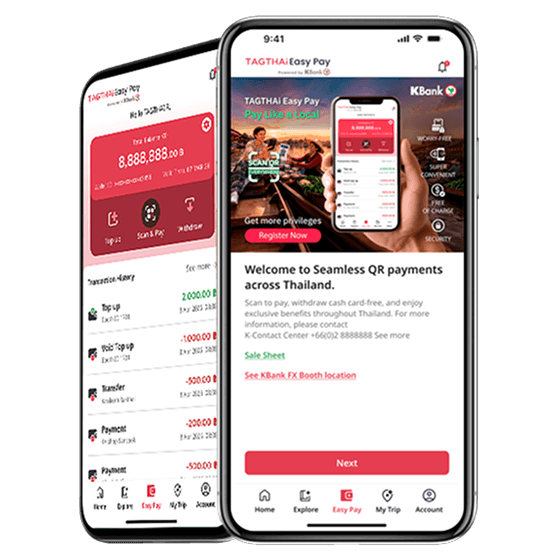
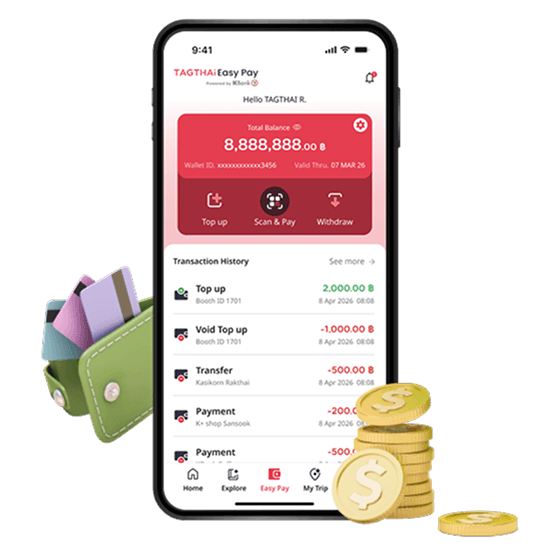
Make payments easily wherever you go with TAGTHAi Easy Pay through the TAGTHAi application. Scan and pay via Thai QR Payment nationwide, conveniently withdraw cash at KBank ATMs without a card, and easily view your balance and transaction history anytime.
Enjoy cardless cash withdrawals at KBank ATMs nationwide with no withdrawal fee.

Enjoy your trip with peace of mind. If you have any remaining balance after your trip, the eligible amount can be exchanged back to your original currency at the original exchange rate at KBank Foreign Exchange Booths under the Buy Back Guarantee program.*
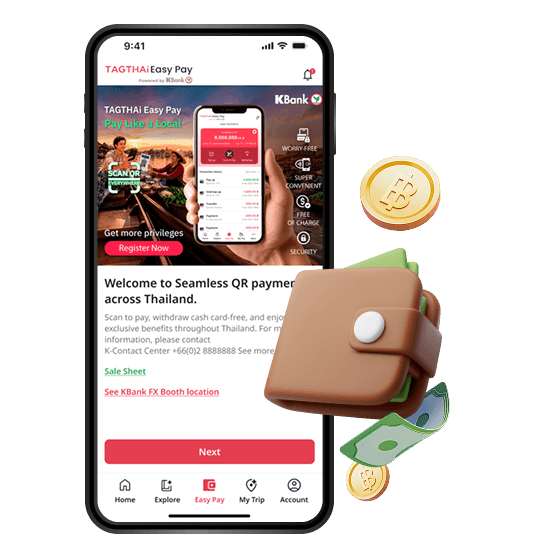
If your TAGTHAi Easy Pay e-Wallet balance is insufficient, simply link an overseas-issued debit card or credit card and continue making payments without interruption.
จุดให้บริการเปิด Wallet และเติมเงิน
จุดให้บริการเพิ่มเติม กรณีบัตรสูญหาย หรือปิด Wallet
Apply for TAGTHAi Easy Pay and receive King Power discount coupons offering up to 35% off.
From 1 August 2026 to 31 October 2026, or while coupon supplies last.
KASIKORNBANK and King Power reserve the right to verify customer eligibility and amend the promotion details or terms and conditions where appropriate. Any changes will be announced through the relevant channels.
For further information about TAGTHAi Easy Pay, please visit www.tagthai.com/easy-pay