

Top-Up Guide
1
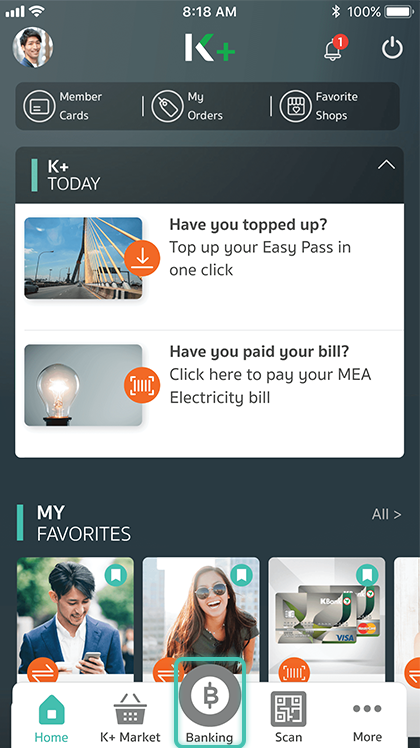
Launch the application, and select “Banking”
2

Enter your PIN
3

Select “Top-Up”
4
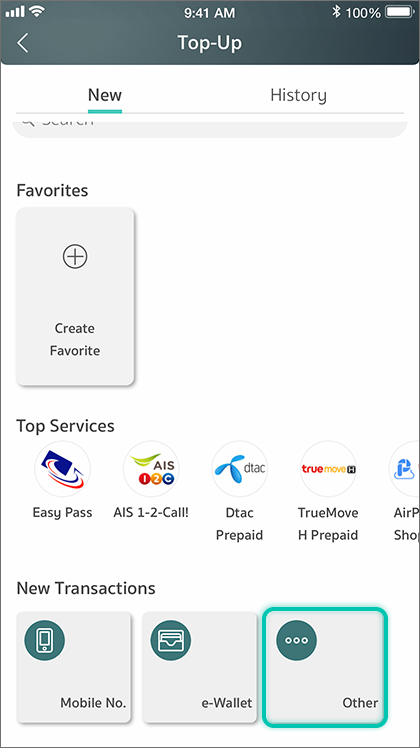
You can choose to top up your mobile, e-wallets, Easy Pass, or many other services
5
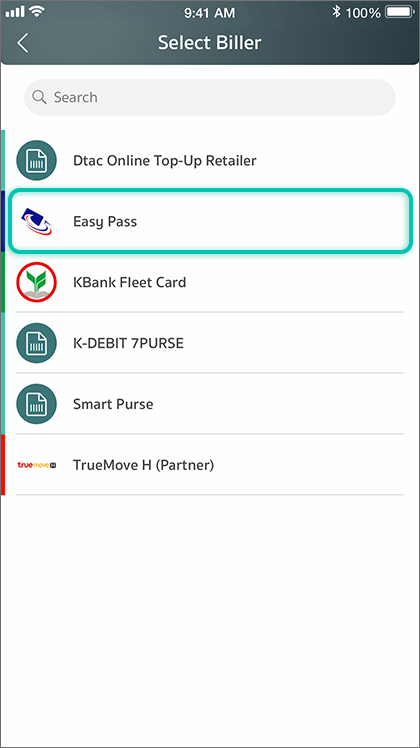
Select a service provider
6
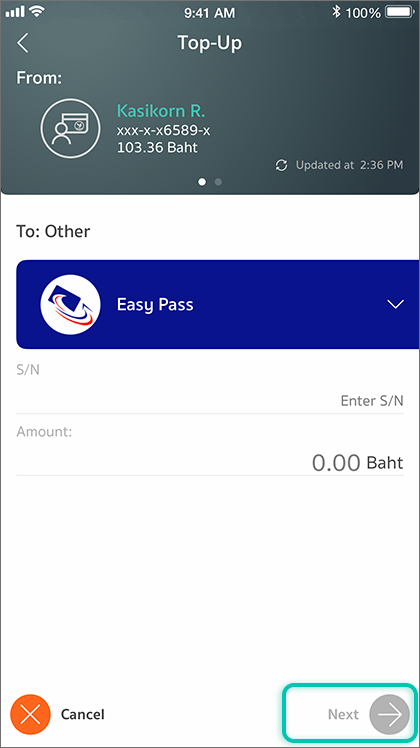
Enter a reference number and a top-up amount
7

Review the transaction information, and press “Confirm”
8