



Create a deposit transaction in K PLUS




To enhance customer convenience, Kasikornbank now offers financial transaction services at all Big C Supercenter and Big C mini branches nationwide. Services include cash deposits, cash withdrawals, bill payments, and identity verification.These services are available daily from 9:00 AM to 10:00 PM.

Click on the image to expand the table.
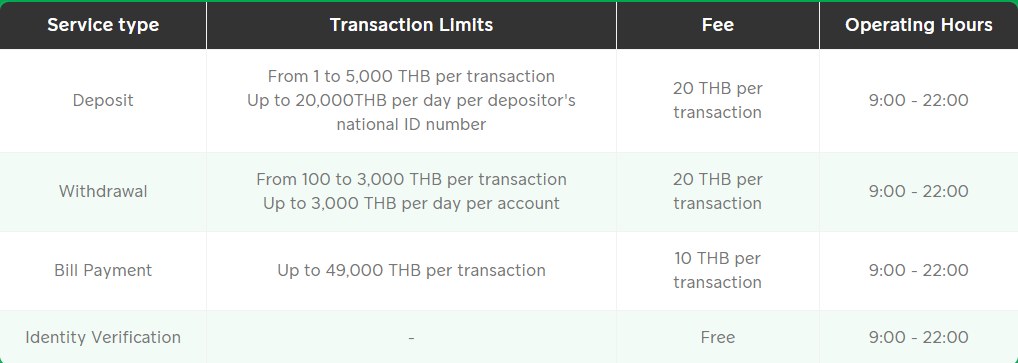
* Please note that fees are subject to change in accordance with the bank’s fee schedule announcements.
Cash Deposit into KBank Accounts at Big C |
|
|---|---|
|
Requirements for Cash Deposit
|
|


Create a deposit transaction in K PLUS
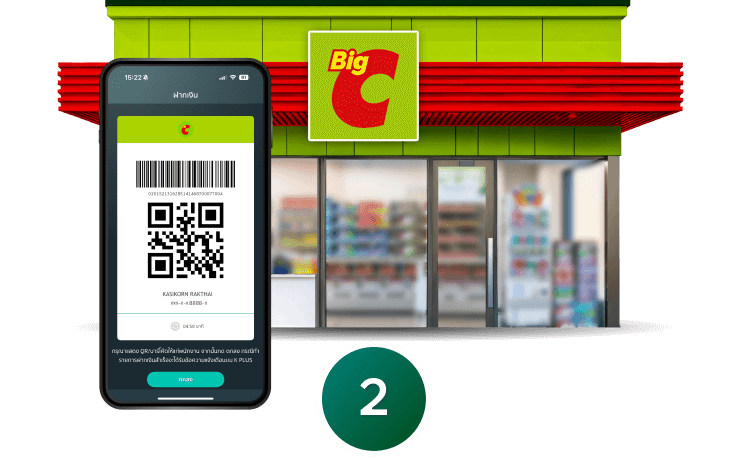
Complete the transaction at Big C
Tap the image to enlarge.
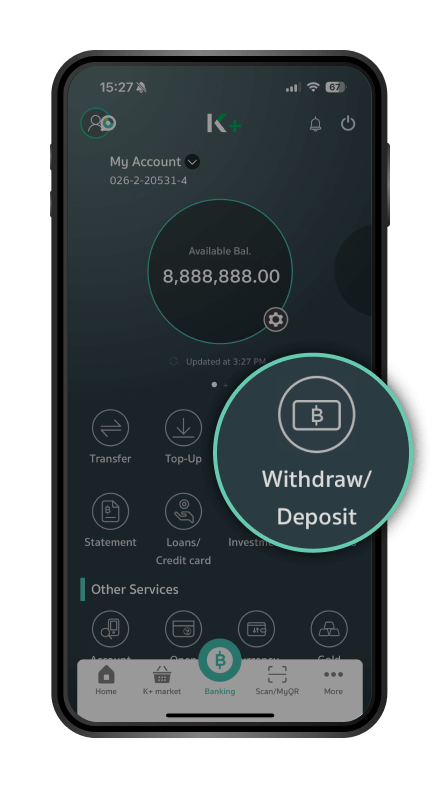
Step 1 / 11
Open the K PLUS app and select “Withdraw/Deposit”
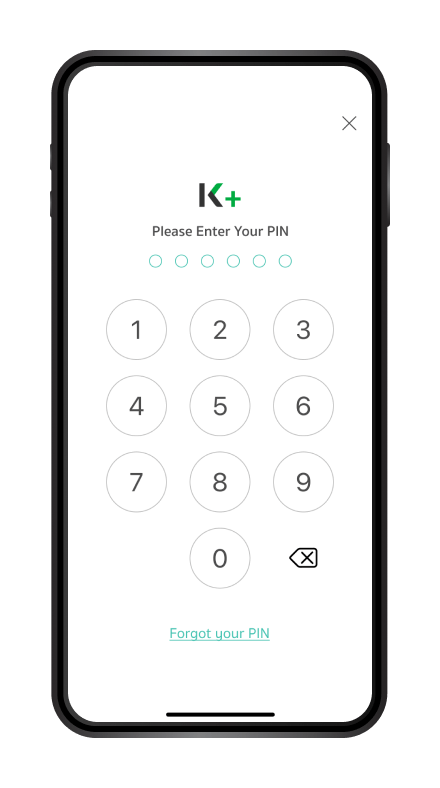
Step 2 / 11
Enter your K PLUS password
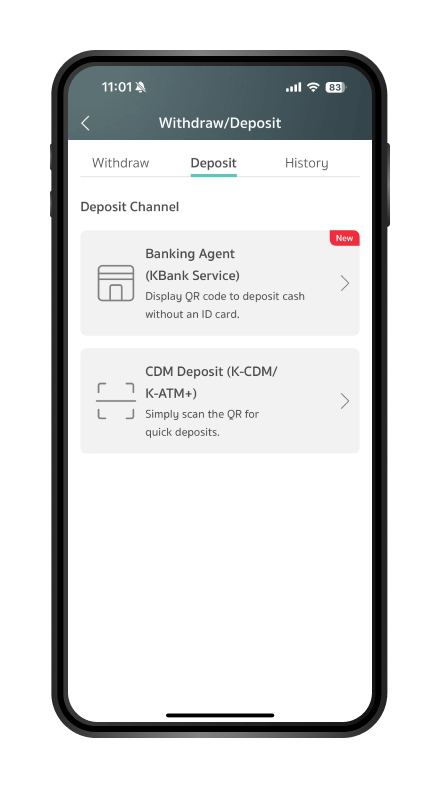
Step 3 / 11
Select the “Deposit” tab at the top, then choose the Banking Agent (KBank Service) channel
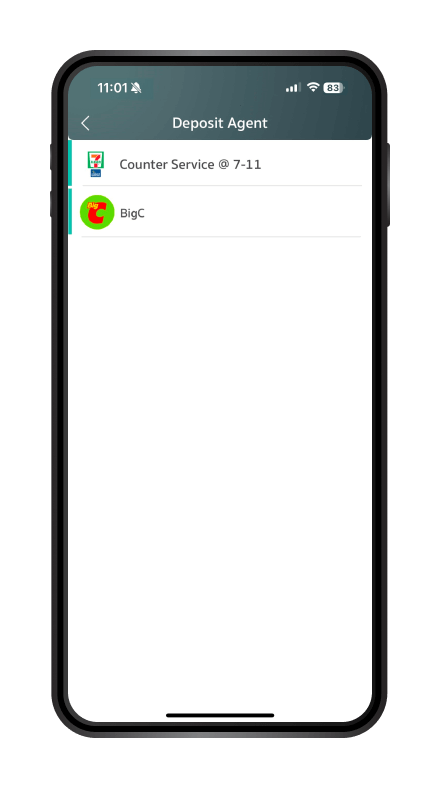
Step 4 / 11
Choose the Agent where you want to make the transaction
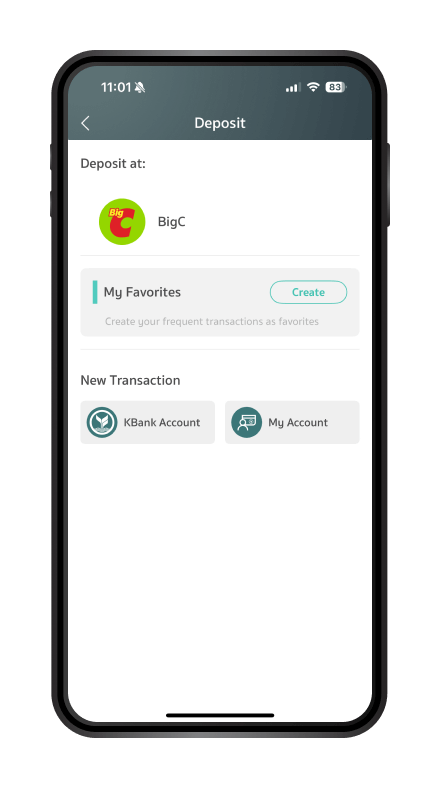
Step 5 / 11
Select the account you want to deposit into
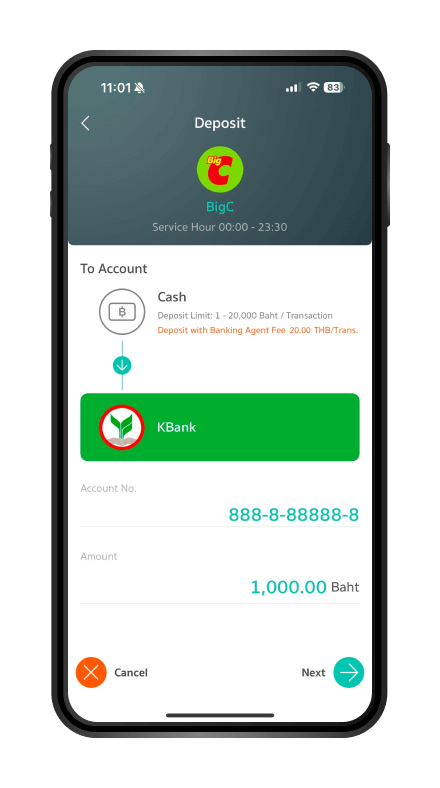
Step 6 / 11
Enter the amount you want to deposit and tap “Next”
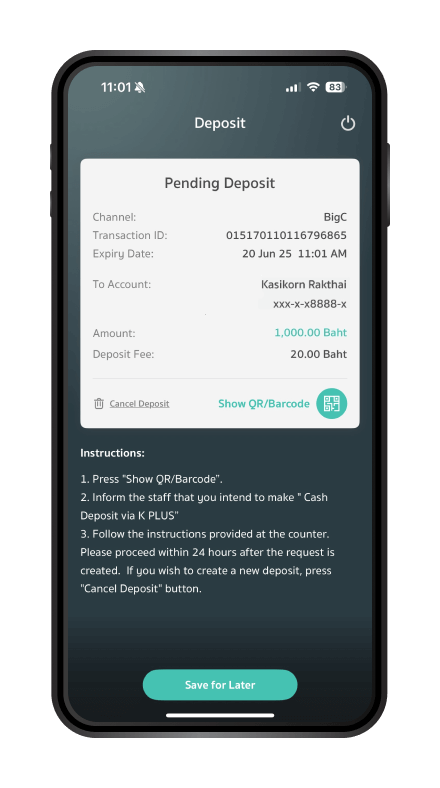
Step 7 / 11
Tap “Show QR/Barcode” to present to the agent, or tap “Save Transaction” (the system will save it for 24 hours)

Step 8 / 11
Inform the staff that you want to make a deposit
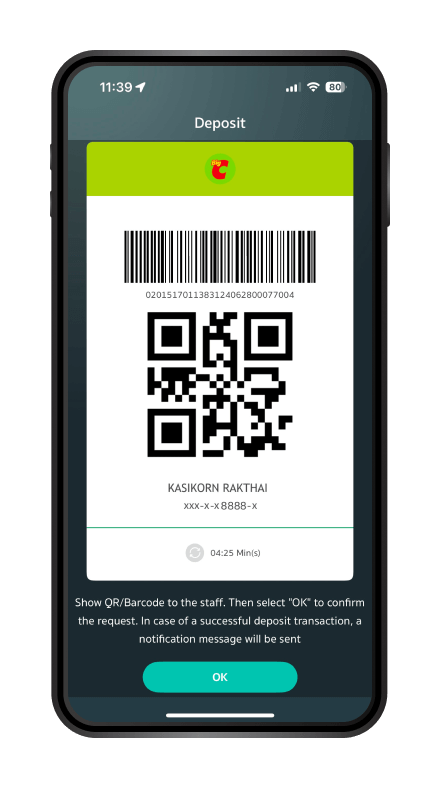
Step 9 / 11
The staff will scan the QR code from your K PLUS app. Then, you must accept the terms on the POS screen, enter your phone number, and verify the transaction details

Step 10 / 11
Hand over the cash and service fee to the staff

Step 11 / 11
Transaction completed. Receive the receipt as proof of transaction
Step 1 / 11
Open the K PLUS app and select “Withdraw/Deposit”
Step 2 / 11
Enter your K PLUS password
Step 3 / 11
Select the “Deposit” tab at the top, then choose the Banking Agent (KBank Service) channel
Step 4 / 11
Choose the Agent where you want to make the transaction
Step 5 / 11
Select the account you want to deposit into
Step 6 / 11
Enter the amount you want to deposit and tap “Next”
Step 7 / 11
Tap “Show QR/Barcode” to present to the agent, or tap “Save Transaction” (the system will save it for 24 hours)
Step 8 / 11
Inform the staff that you want to make a deposit
Step 9 / 11
The staff will scan the QR code from your K PLUS app. Then, you must accept the terms on the POS screen, enter your phone number, and verify the transaction details
Step 10 / 11
Hand over the cash and service fee to the staff
Step 11 / 11
Transaction completed. Receive the receipt as proof of transaction
General Cash Deposit Service

Step 1 / 6
Inform the staff that you want to make a "cash deposit."

Step 2 / 6
Present your national ID card for verification.
Step 3 / 6
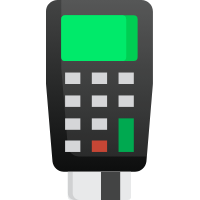
Insert your national ID card into the card reader.
Step 4 / 6
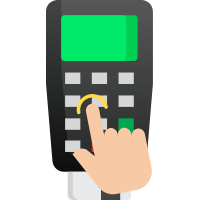
Follow the instructions on the card reader to complete the transaction:

Step 5 / 6
Hand over the cash and the deposit fee to the staff.

Step 6 / 6
Transaction completed. Receive a transaction slip as proof
Cash Withdrawal from KBank Accounts at Big C |
|
|---|---|
|
Eligibility
|
Requirements for Cash Withdrawal Service
|
Step 1 / 10
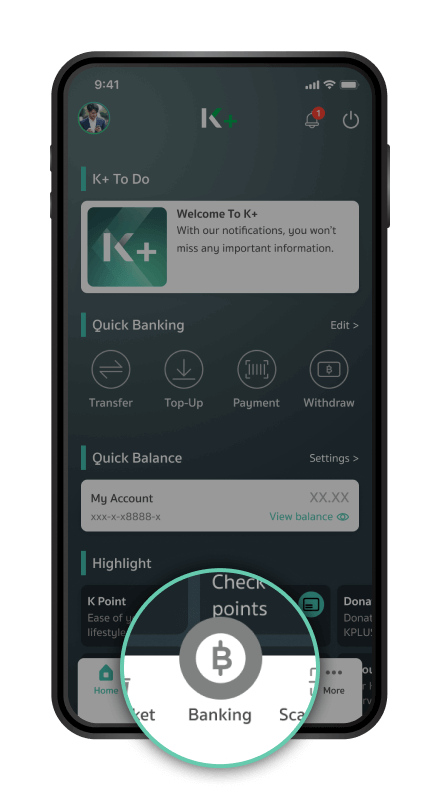
Open the K PLUS app and select "Banking".
Step 2 / 10
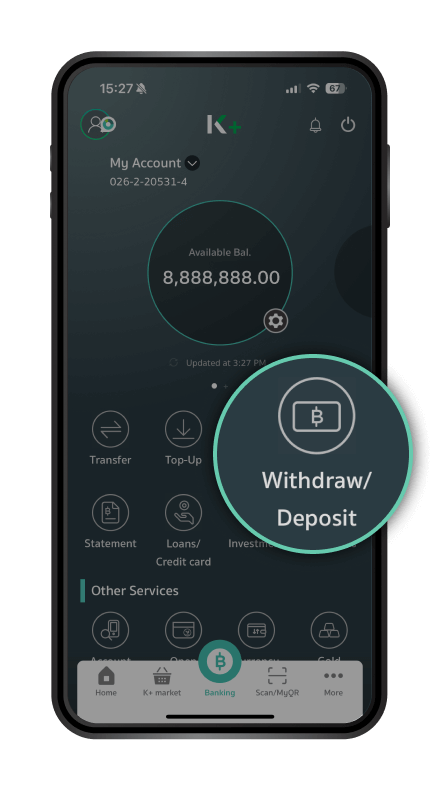
Tap on select “Withdraw/Deposit”

Step 3 / 10
Select the agent you want to use in the “Banking Agent” Section.

Step 4 / 10
Select the account, enter the amount you want to withdraw, and tap "Next".
Step 5 / 10
Inform the staff at Big C that you want to withdraw cash.

Step 6 / 10
Present your national ID card to the staff for identity verification.

Step 7 / 10
Tap "Show QR/Barcode" in the K PLUS app and present it to the staff.
Step 8 / 10
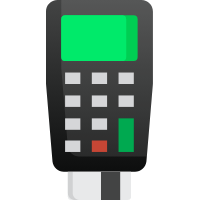
Insert your ID card into the card reader and enter your phone number.
Step 9 / 10
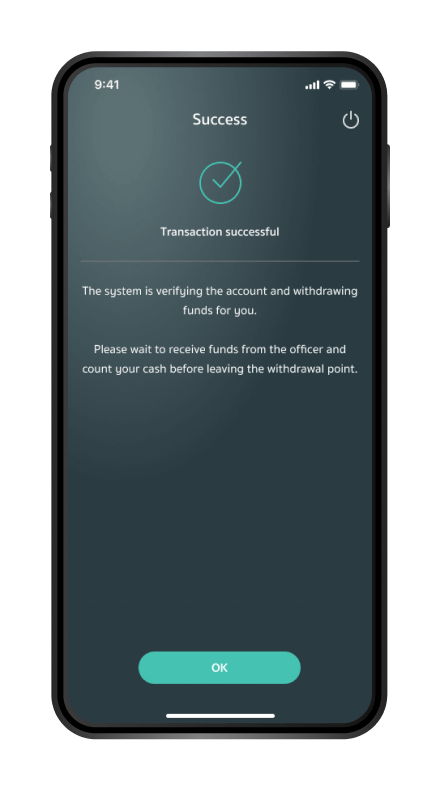
Once the transaction is completed, the message "Transaction Successful" will appear. Collect your cash from the staff.

Step 10 / 10
You can view your withdrawal history in the app.
Bill Payment Service via Kasikornbank at Big C |
|
|---|---|
|
Required Documents for Bill Payment Service
|
|

Step 1/6
Inform the staff of the bill payment you want to make via Kasikornbank.
Step 2/6
Present your national ID card for verification.
Step 3/6
Insert your national ID card into the card reader.
Step 4/6
Follow the prompts on the card reader to complete the transaction:
Step 5/6
Hand over the cash along with any applicable fees to the staff.
Step 6/6
Transaction completed. Receive the payment slip as proof of payment.
K CHECK ID: Identity Verification for KBank at Big C |
|
|---|---|
|
Purpose of Identity Verification
|
Requirements
|
Step 1 / 7
Inform the staff that you wish to verify your identity.

Step 2 / 7
Present your national ID card to the staff for verification.
Step 3 / 7
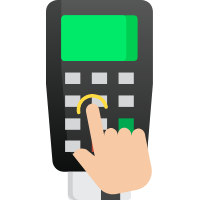
Press “OK” on the device to start the process.
Step 4 / 7
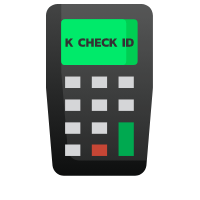
Select “K CHECK ID” from the menu.
Step 5 / 7
Insert your national ID card into the card reader.

Step 6 / 7
Allow the staff to take your photo for verification purposes.

Step 7 / 7
Once the process is complete, the message "Your identity has been verified by the bank" will appear. Remove your ID card and collect the transaction slip.
KBank Service Locations and Operating Hours at at Big C |
|
|---|---|

All nationwide Big C branches
Locate us|
Operating Hours |
|
|---|---|
| 9:00 – 22:00 | |